What if I say that Vibe coding is Real for Salesforce? I am not being sceptical; this is true, and I have felt it after the August 19th post from Phillipe Ozil about Claude Plugins for Salesforce. This is official from Salesforce, and I tested it in my personal dev org, where it took quite some time to complete a basic task. Still, it’s not fast all the time, and especially when it comes to Salesforce, it is about the Org Context, and they injected a venomous spear that understands the org, actually, rather than just getting things done.
You can watch it below, or if you are a reading person, come on, let’s get into it. Let’s understand the distinction first before we look at what I’ve done.
Watch the accompanying video on YouTube
Now that you understand that Salesforce has added three MCP servers called salesforce-api-context, salesforce-metadata-experts, and salesforce-lsp, which changes the whole game for enabling Vibe Coding for Salesforce. If you want to understand more about each, refer here. Now, the tests!
Started Clean!
I removed the existing Salesforce-related plugins I built and others, and installed them with the commands mentioned in the blog. This installs the Headless plugin, along with the commands, agents, skills, hooks, and servers needed to understand the user’s intent, check the org, and do either Knowledge or Coding Work.
Plugin not only in this context but for any workflow it contains commands, agents, skills, hooks and anything that can be utilised by the agent/sub-agent
The beauty of this plugin cannot be described in simple words because you can make it public or virtual, letting you share it across the team or with other members. You can set it up locally or install it from a GitHub repo with 2-3 commands depending on your agentic tool.

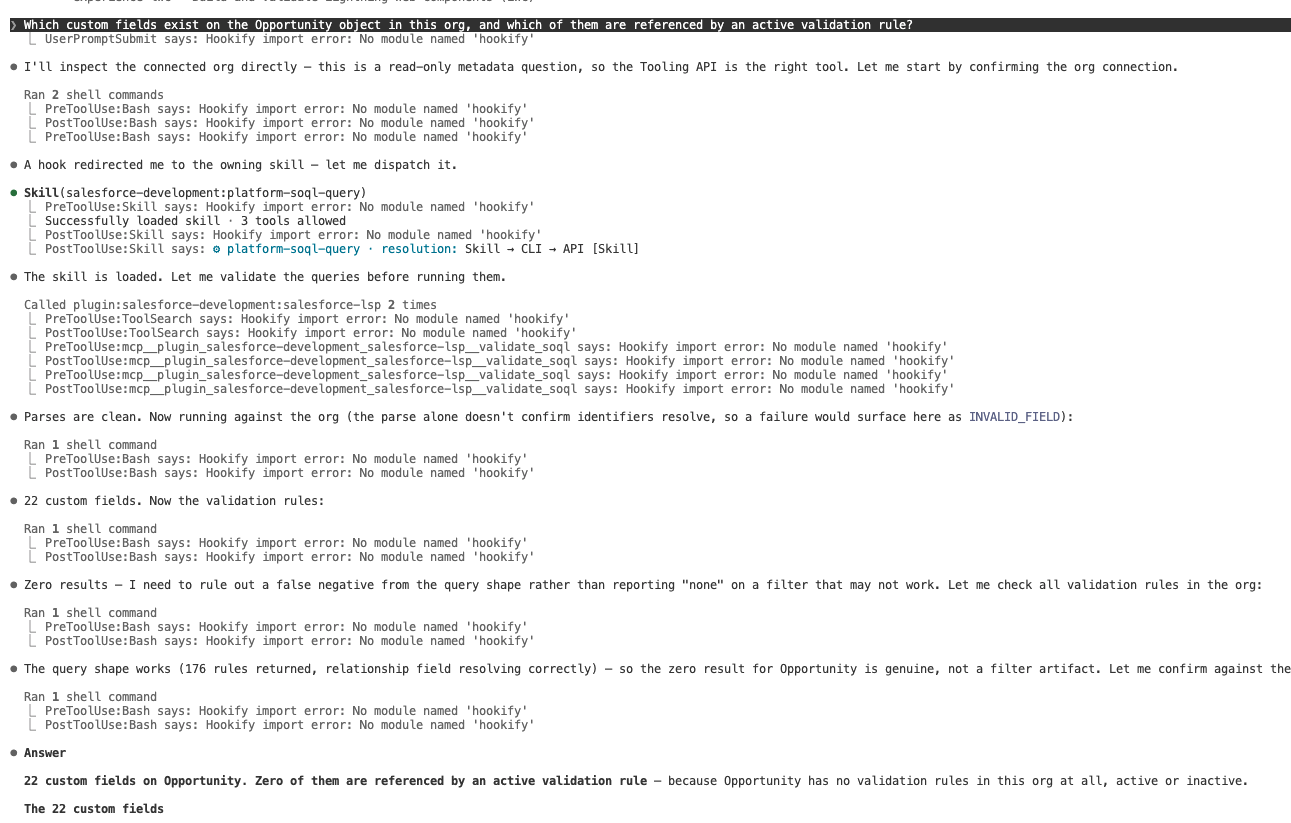
Here comes the first prompt: I asked which custom fields exist on Opportunity and which validation rules reference them. A skill loaded on its own. I invoked nothing. I didn’t mention a word to check via the tooling api or metadata api, but fascinatingly it reached for the LSP, which is part of the plugin installed earlier and wrote a Tooling API query and ran it. It fetched the validation rules, flagged zero as a possible false negative from the query, but double-checked since it is a requirement from my end to be sure, and verified again by checking the query shape. That intelligence matters in Salesforce, since every org will have a different shape based on the industry/business process it supports. I verified against the setup side by side, and it was right!
The Fake-Field Test
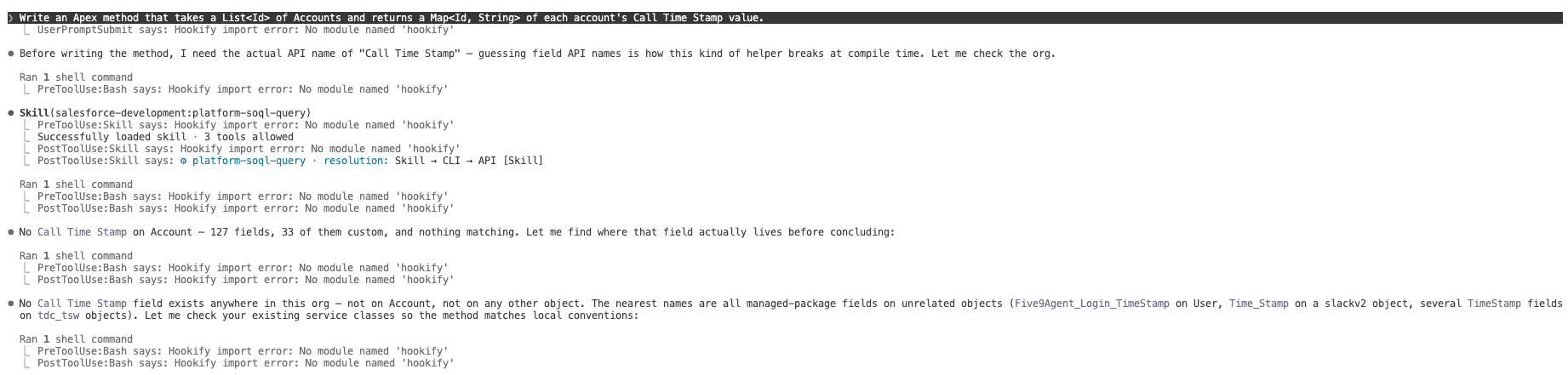
I wanted to test whether this intelligence could be pushed one step further by bluffing it, and the sceptic I beat came for real and left me surprised. I asked it to build an Apex method that runs each Account’s Call Time Stamp, which doesn’t exist in the org, and the org has Do Not Call but no timestamp. Without org context, any model writes that field confidently, and it dies at deploy, which no architect, developer, or even the model wants to do. But with it, what happened? It did a blast-radius search across objects for that field, including Account, to confirm the data type before getting back to me; it found nothing, held off writing the logic, and asked me what to do.
Then I asked it to create the field; it used a skill to write the Apex, not a class to dump in chat. The skills actually followed the conventions existing in my org, with no abbreviated variable names and extracted constants. It matched the conventions of the existing classes: with sharing, null/empty guards, bulk-safe, and header comments. No test data factory existed, so it checked and built one to standardise. PMD ran and moved a hardcoded value into test setup. While running the test classes (it actually ran the test classes, without any right clicks or SF commands), I caught a genuine bug that surfaced only because a bind variable didn’t exist. It fixed itself and deployed the class and the custom field it created. It failed again because the field must exist first. I expected this, but sometimes it happens and can be handled by updating the skill files in the right place. You can ask me, “Can we actually edit the skill files provided by Salesforce?” My answer is absolutely yes. Just because Salesforce provides it doesn’t mean we have no control over it. However, since it is a public GitHub repo, we have full control post-installation to edit, add, or remove any details. Now, let’s get back on track.
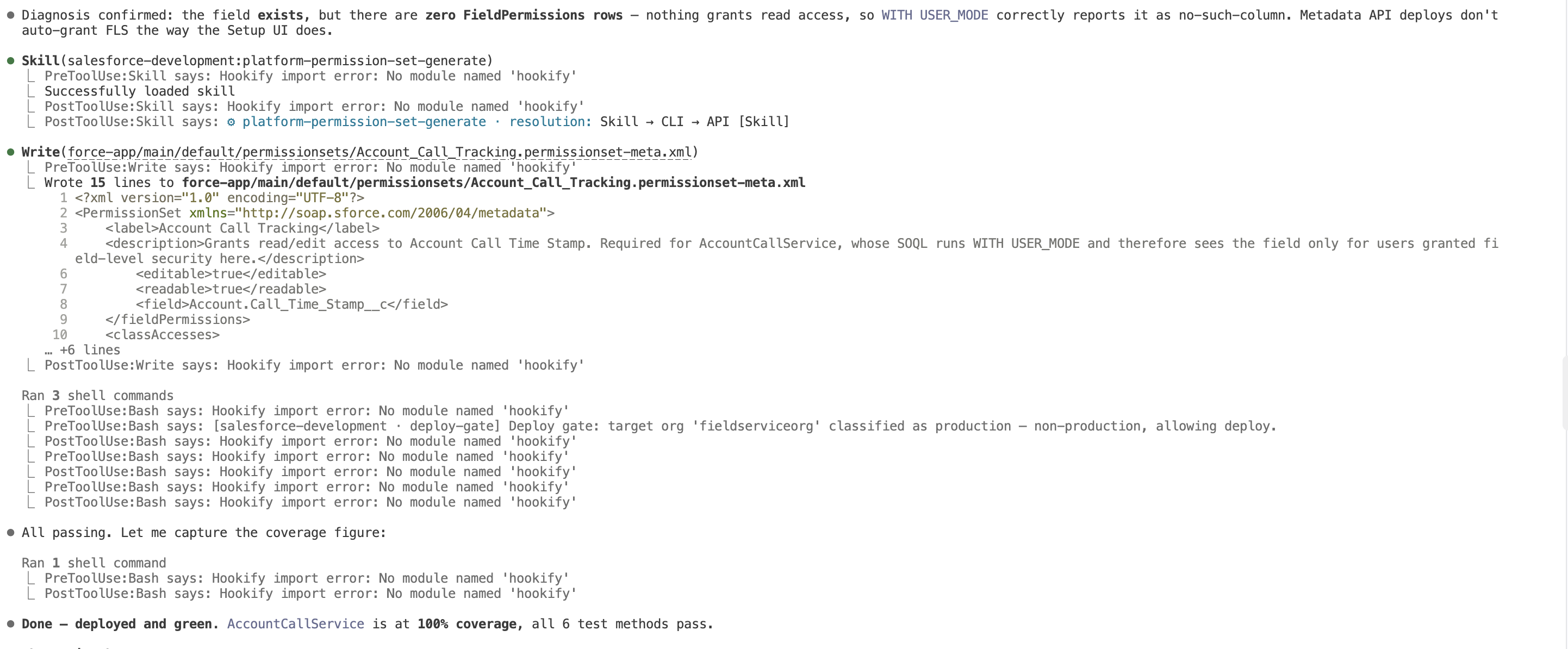
It deployed the field and pushed the Apex components, and it failed again. Because the tests run in user mode, the honest reason is: no field-level access. It self-corrected, invoked platform permission set generation, added a permission set with the field, assigned it, and re-ran. This time, everything went green. 100% coverage and nearly 20 minutes across the two use cases.
Granted-You-Nothing-Beat
What did you realise from this?
It’s not just doing the work, it’s doing the right work
Your whole job through this was deciding what the requirement was. Not writing queries, not remembering which API. The over-explaining-your-org tax is gone. The honest gap is the time boxing: the permission set under user mode stumble is a hole in the skill files, On a real implementation, many fields, classes, test classes classes as it repeats gets cumbersome.
Now I want you to try it: clone the repo, adapt naming to your org’s conventions, use it and see the change unfolding in the work we do.